Shtab: a control desk for a team of AI agents
A Mac app that runs all the work of AI agents: project directors, autopilot from a brief, critics, limits, a city called the World.
Live since 29 October 2026
Task
The client wanted to bring AI into their daily work, and soon it was no longer a single model working for them but a team of agents. Terminals do not cope with that. They needed one control desk on a Mac. What was needed:
- See everything. Which agent is doing what and what is waiting for a decision, across all projects in one window.
- Limits. How much of the limit is used.
- Risky steps. Money, releases, secrets and messages to clients do not go through without their “yes”.
What the client got
A macOS app with a fast core and a window that reads the agents’ logs and controls them.
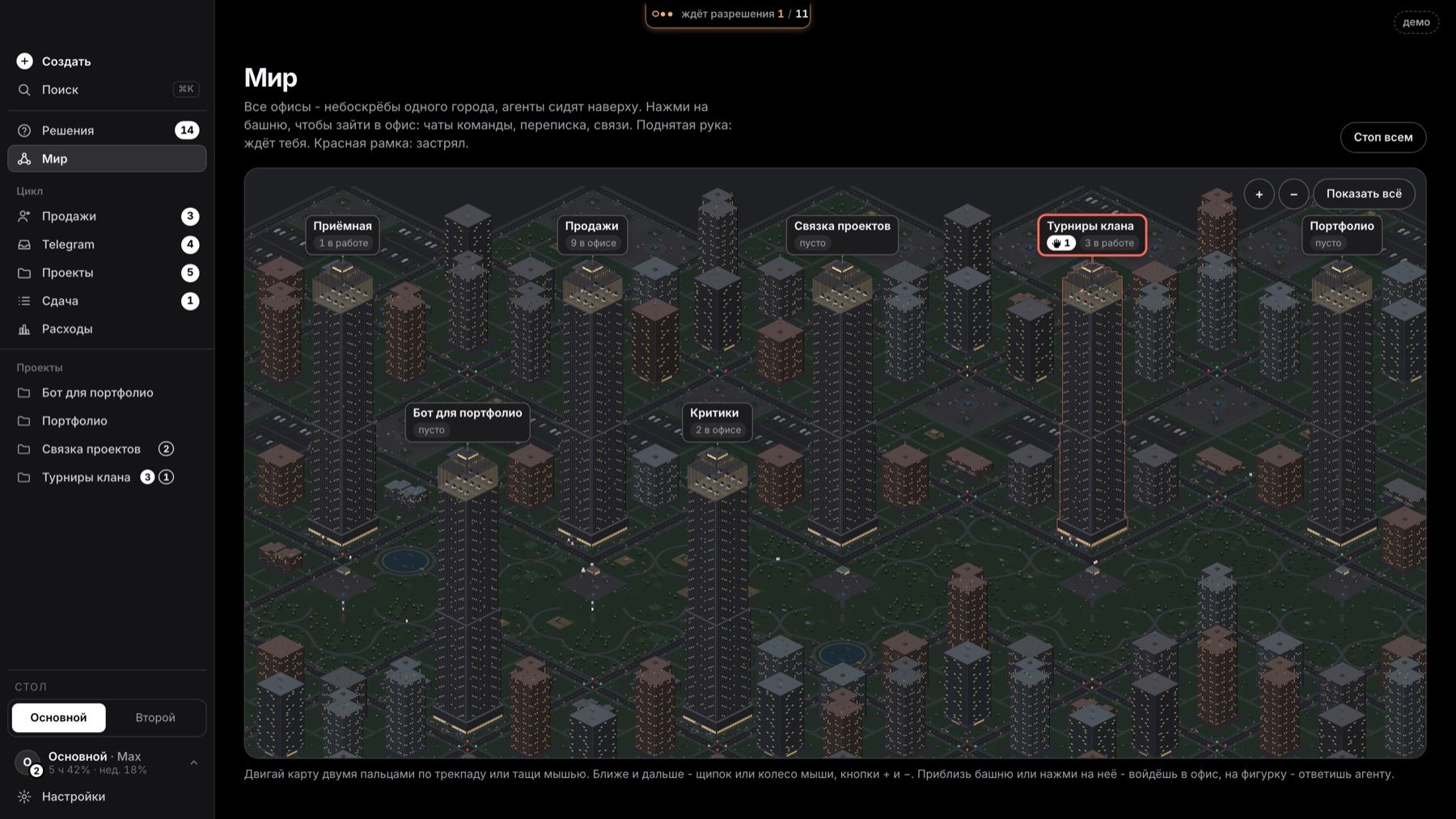
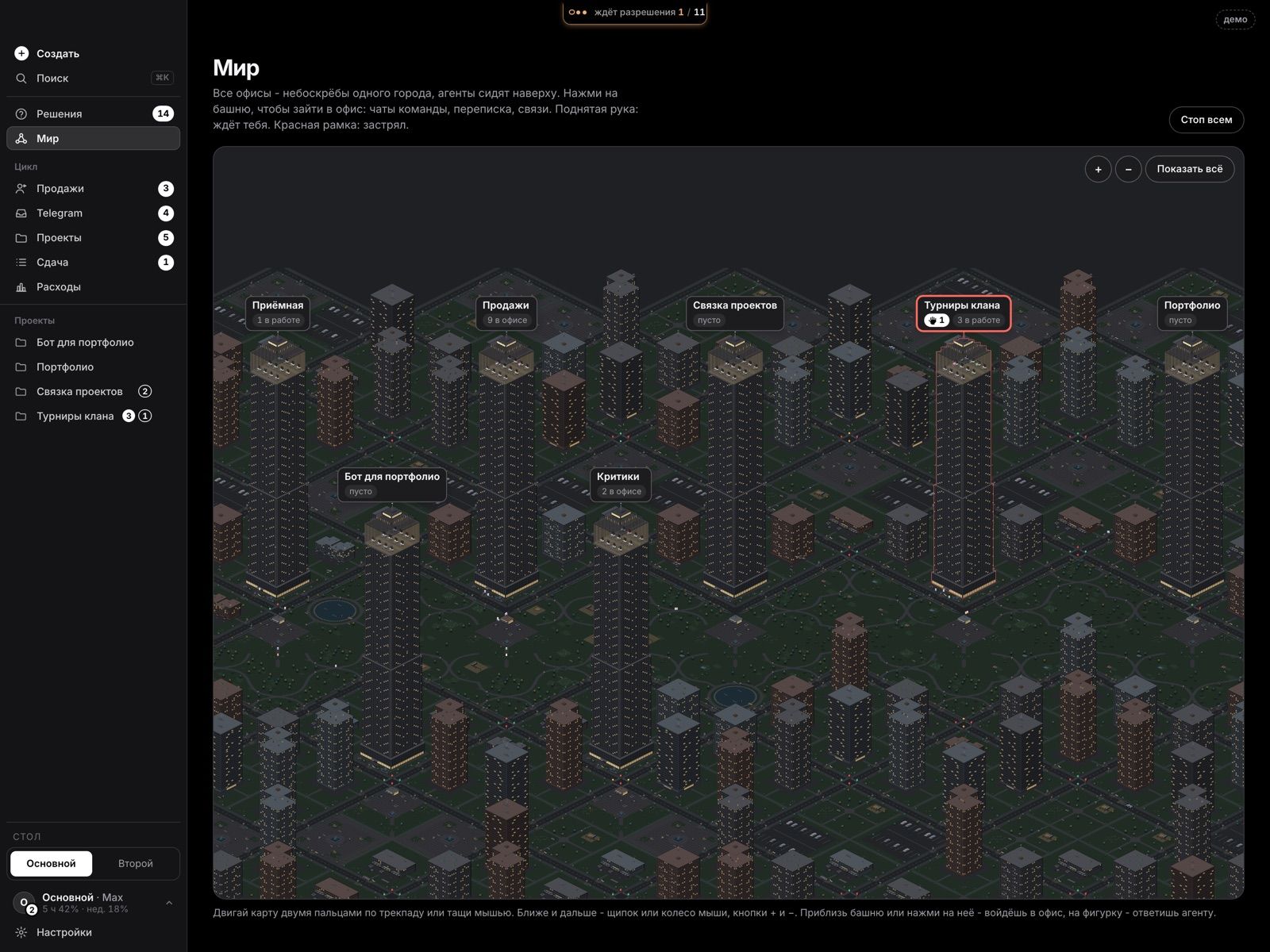
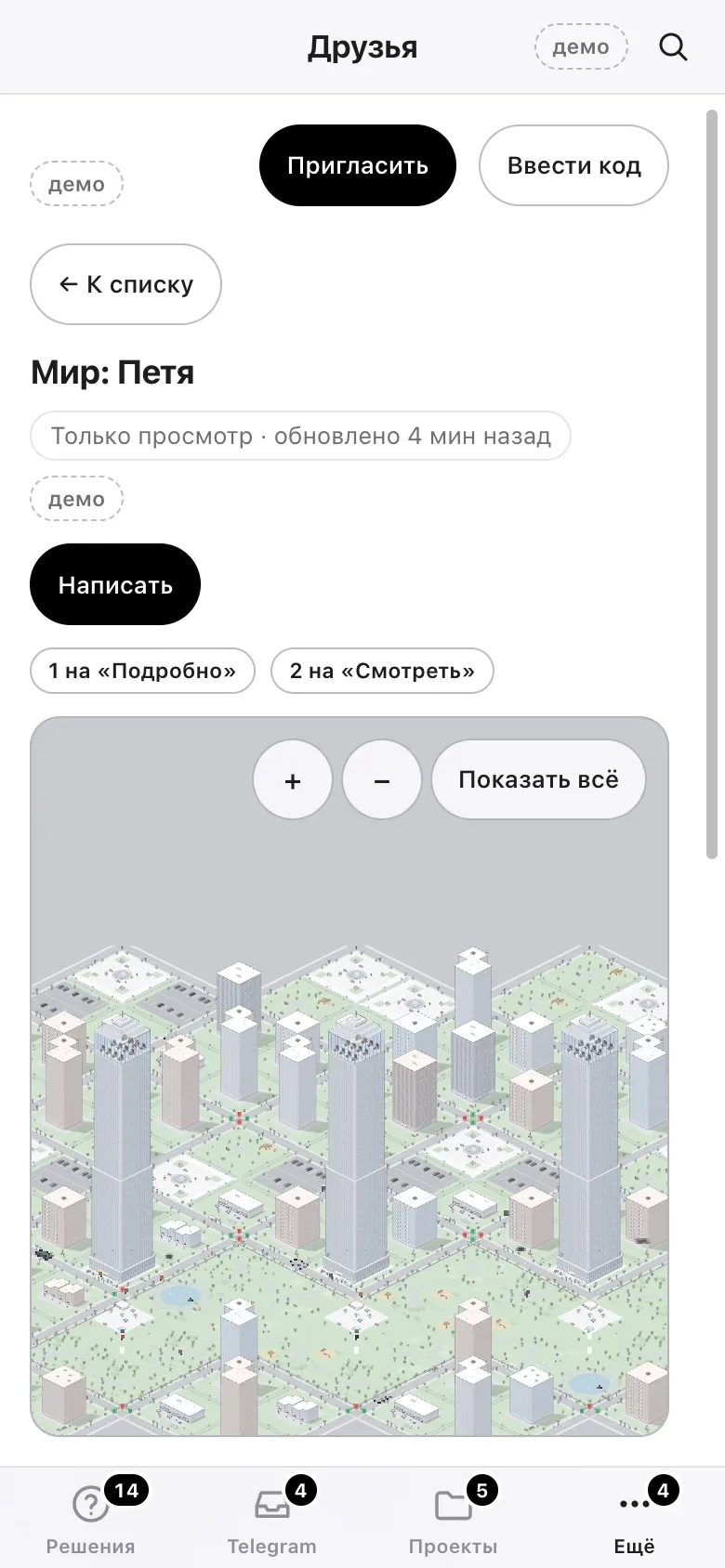
- The World. Projects are shown as a city: each project is a tower, and agents sit on its floors. You enter an office with a click or by zooming in, with trackpad gestures like in Maps.
- Project director. One button, and the project gets a director: it reads the project’s rules and history by itself, assembles a team of agents with the right models for the task, keeps the roster and the journal.
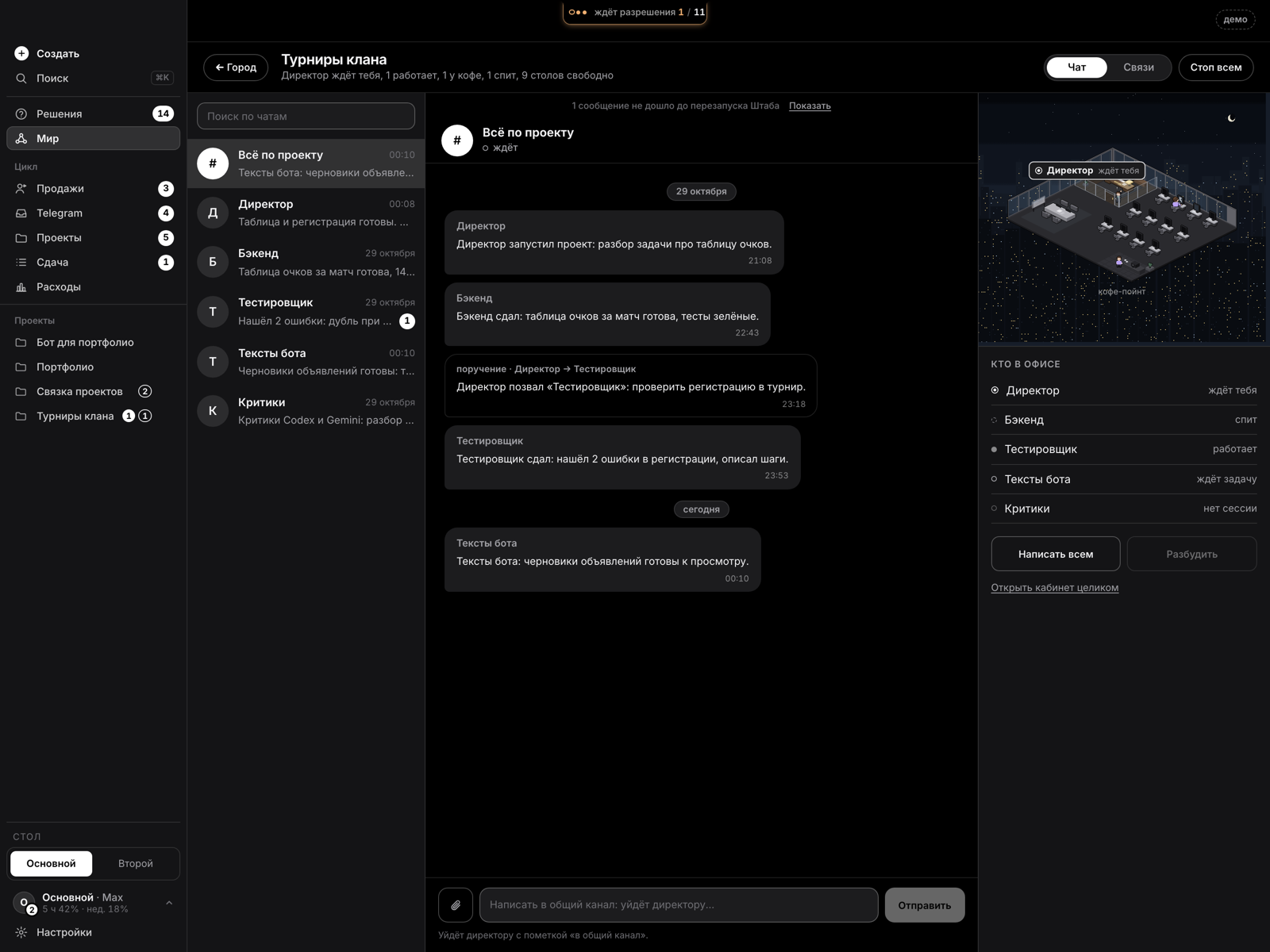
- Project room. A chat with the director, channels and a decision feed in the familiar style of a messenger.
- Autopilot from a brief. Text, PDF, DOCX or a client conversation turns into criteria and a plan. The director works in rounds; Shtab wakes it, moves it to a fresh session when memory is full, and waits for the limit to reset. It stops only at gates: the plan, money, a new library, a release, a message to the client.
- Limits and a second account. A live limit counter per account, a forecast to the end of the window, switching tasks to a spare account, a Spending screen: who spends how much.
- Critics. An own critic on every merge, external reviews by other model families within a run budget, all in a sandbox with a temporary home.
- Sales. A lead funnel and first messages that only a person sends, by pressing a button (see the Leads project).
- Security. A threat model; a guard on agent steps that lets through only known commands and hides secrets from agents; a hash-chained journal in which tampering with a record shows; secrets only in the Keychain; a secret scanner before every commit.
- Assistant server. A separate product: the assistant reads client conversations, prepares drafts, proposes meetings for confirmation, sends reminders and replies from notes; a bridge for requests from the website; a conversation journal with a hash chain.
Result
The control desk was built and has been running since 29 October 2026. Point by point:
- See everything. Projects stand as towers in the World, and a tower where an agent is waiting for an answer is highlighted. The project room has a chat with the director and a feed of decisions.
- Limits. A live counter for each account, a forecast to the end of the window and a “Spending” screen: who spends how much.
- Risky steps. The autopilot stops at the plan, money, a new library, a release and a message to a client, and waits for a “yes”. A separate critic agent checks the finished work.
Next stage: a Friends section for the team (being checked)
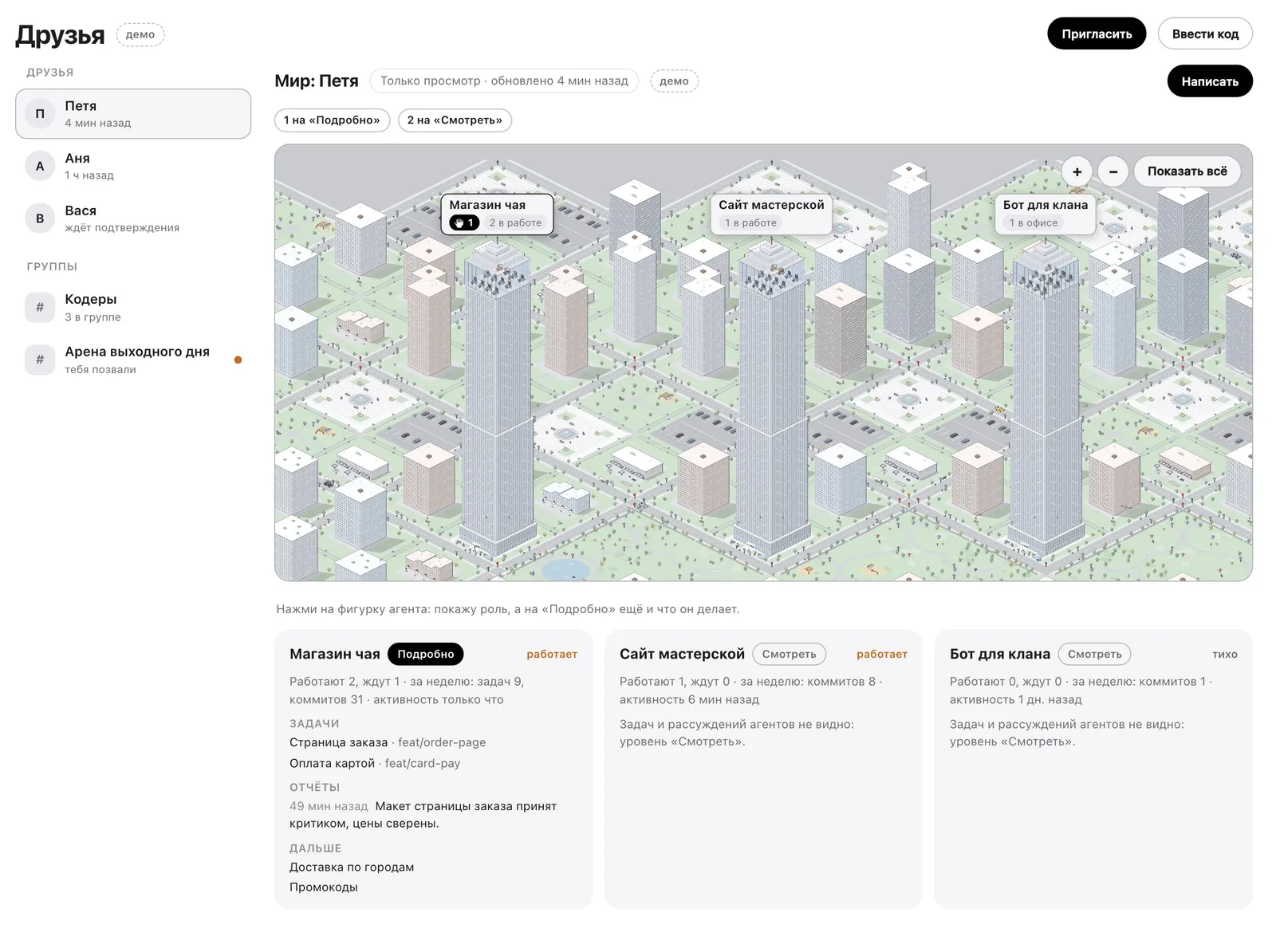
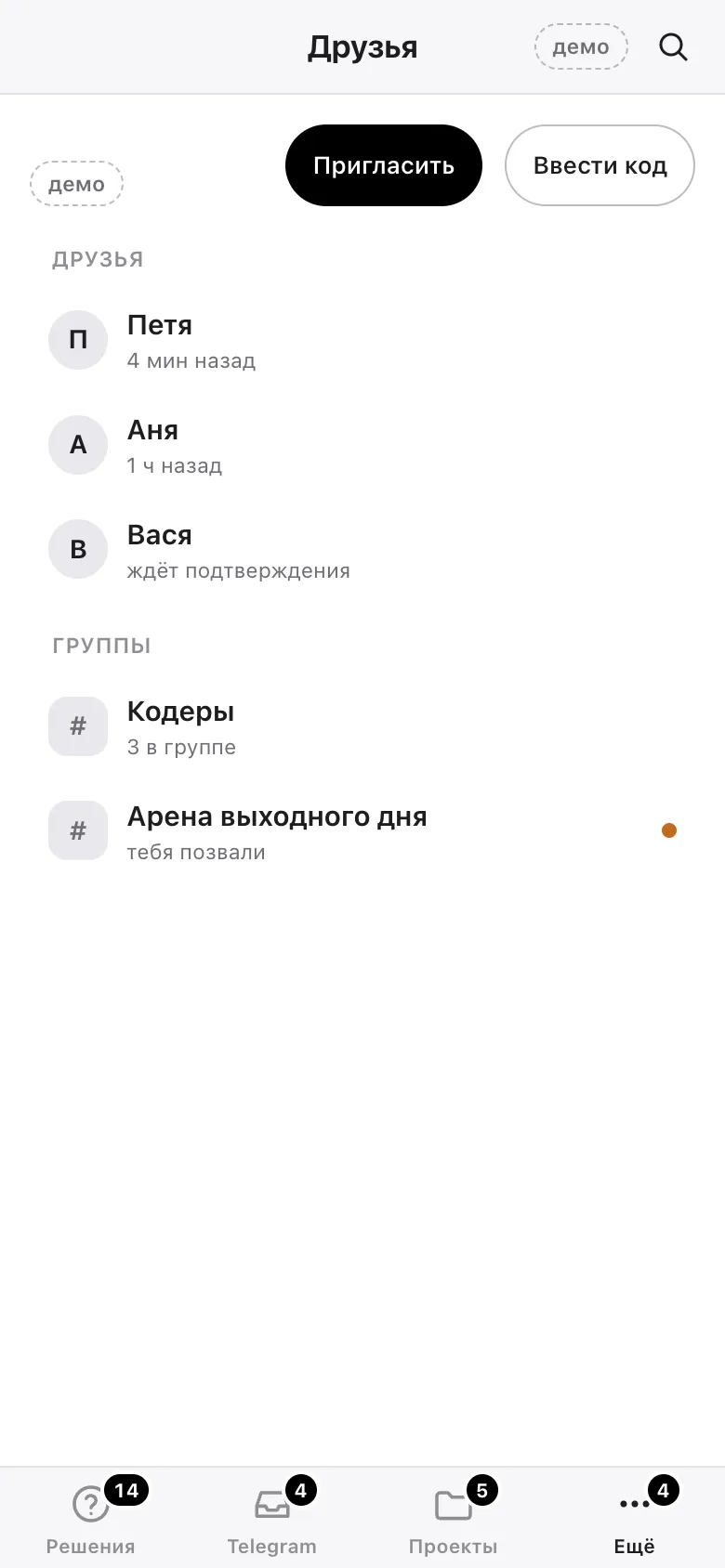
Now the client wants the whole team to use Shtab. For that there is a Friends section: a colleague is invited with an invitation or a code, people are gathered into groups, and everyone decides for themselves who sees what. You can open a colleague’s World, see what their agents are working on and message them right away. Agents’ tasks and reasoning are visible only if the colleague has opened the “Detailed” level; at the “View” level only the overall picture is visible. The section is already built and is being checked now, but it is not released in the app yet. The shots in the gallery show the real screen of the section, and the data on it is made up.
The project at a glance
| Client | A person who wanted to bring AI into their work and the work of their company. The name is not given |
|---|---|
| My role | I did everything myself, from idea to launch: design, the Mac app and the assistant server. Support is on me too |
| Result | All the work of the AI agents runs from one app: projects as the city “World”, a director in every project, an autopilot from a brief and critics |
| Size | A Mac app: the World, offices, the project room, spending. Plus a separate assistant server on its own domain |
| Security | Secrets are closed to the agents, they run only known commands, and tampering with a journal entry is visible. A threat model was drawn up before launch |
| Assistant server | Client conversations, drafts, meetings for confirmation and a journal in which tampering with an entry is visible |