The Life app
A whole life in one app, made for a client: finances in three currencies, tasks, health, work meetings. Encryption, Mac and phone. A closed system.
Live since 27 October 2026
Task
Mood, money, food, sleep, workouts, health, goals and a calendar are usually scattered across five to seven apps, and each keeps its data somewhere of its own. The client wanted to bring all of it together in one place. What was needed:
- One app for a whole life.
- Mac and phone. The app works on both and does not lose records.
- Personal data kept closed. Data is encrypted, and even the sync server cannot see the content.
- Access. The client uses it, and the people he lets in himself. Outsiders have no access: it holds personal data.
Solution
An app of 13 sections on one data engine, with its own design system and a sync server.
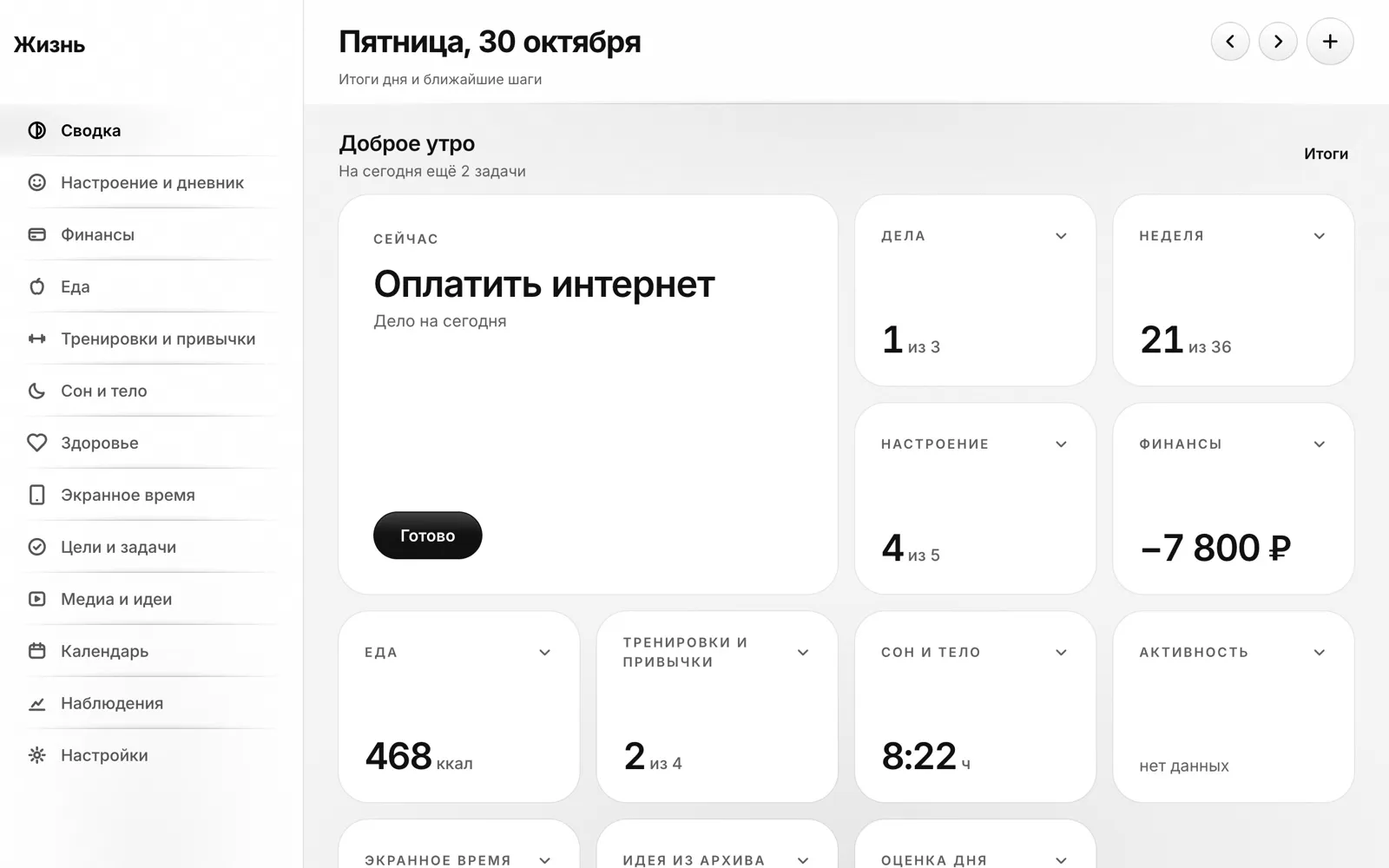
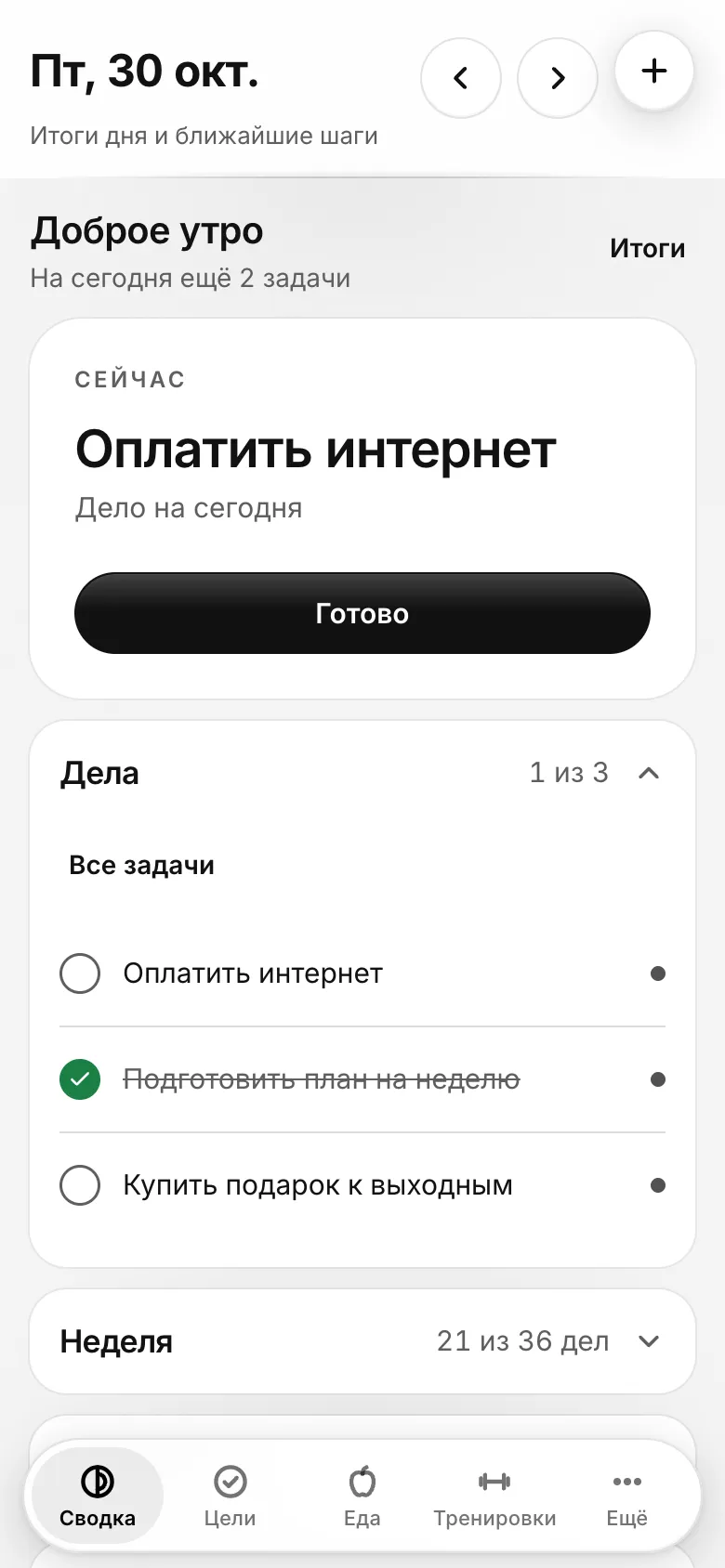
- Day summary. Yesterday’s results in the morning, today after lunch: mood, spending, the next meeting, the one task that matters most.
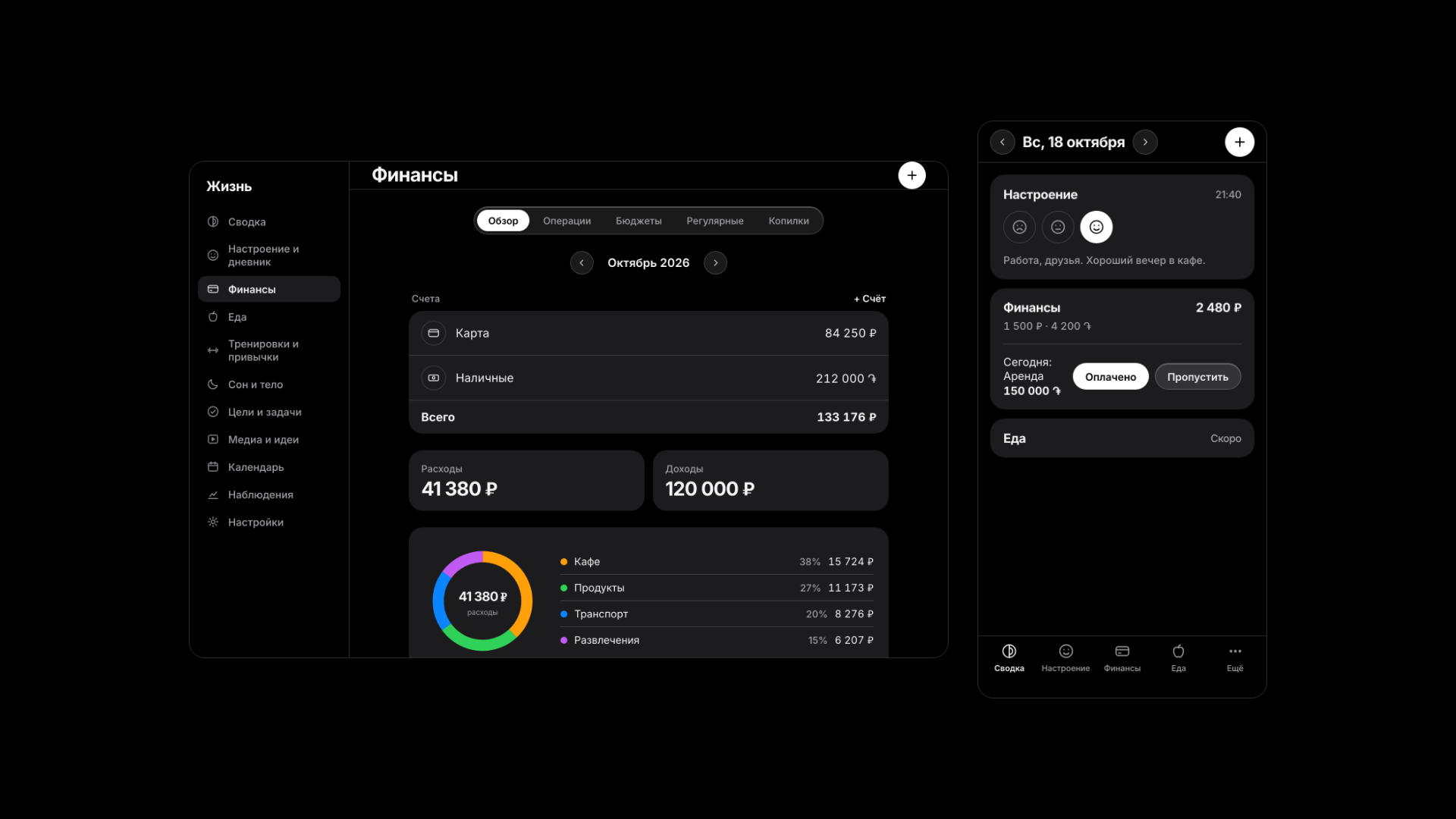
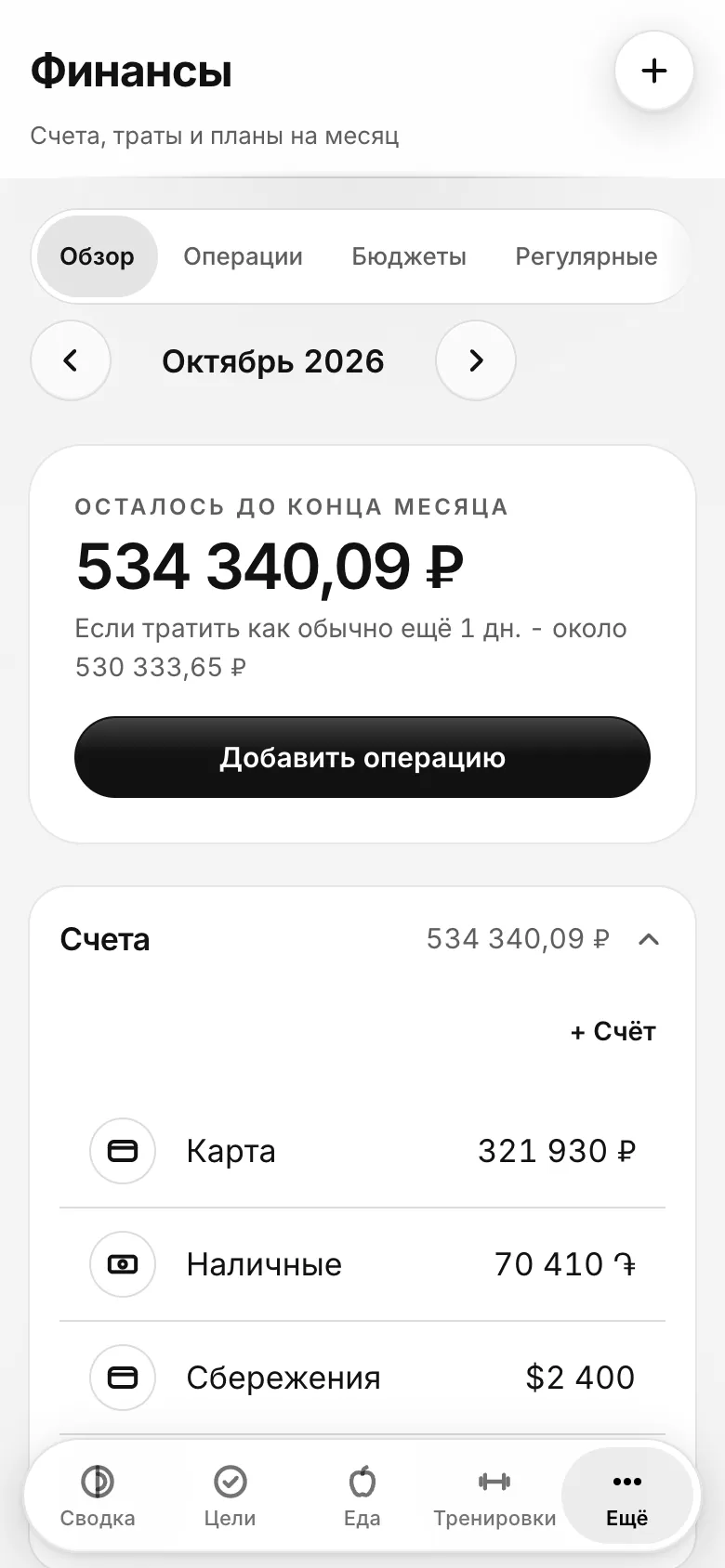
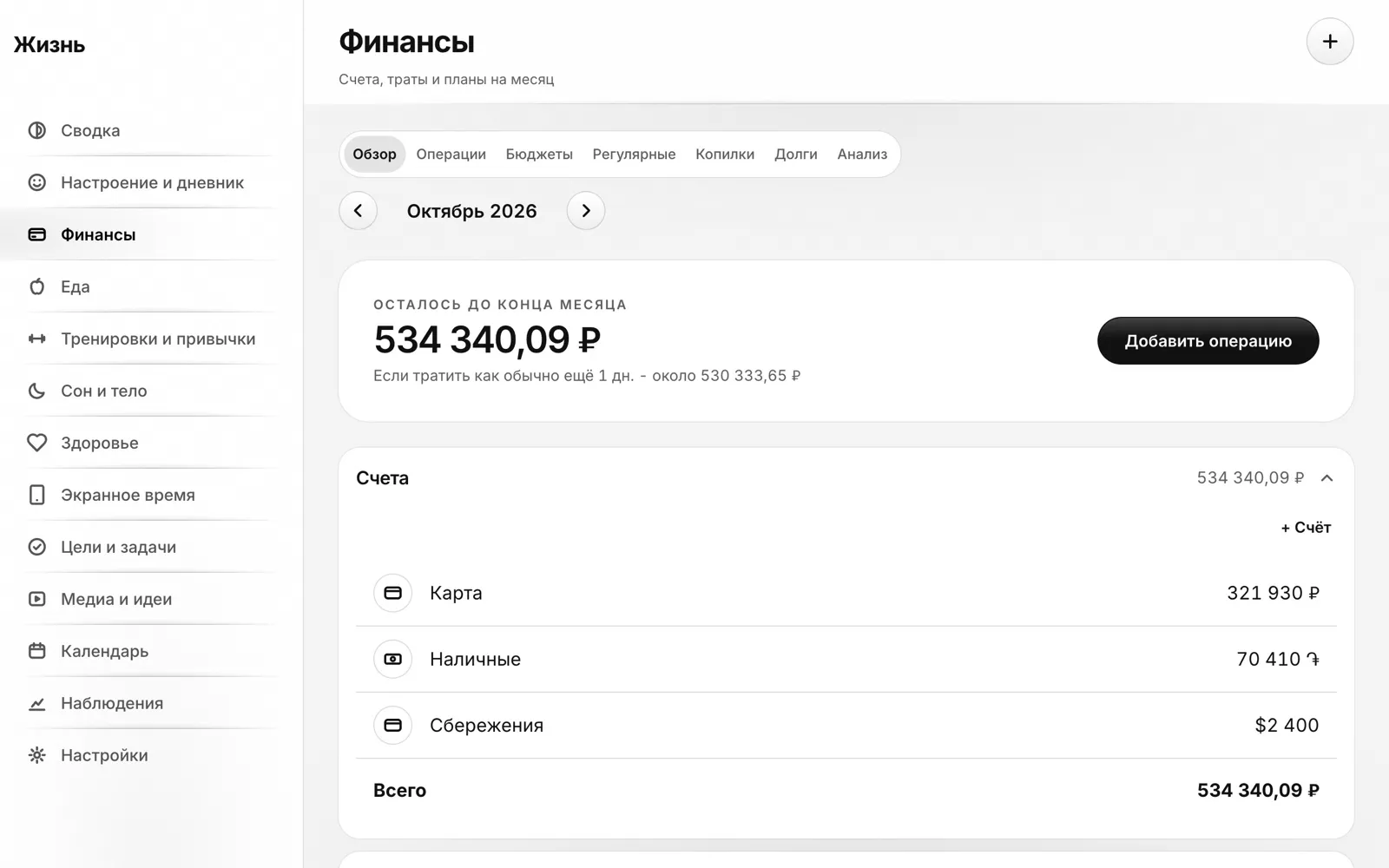
- Finances. Accounts, transactions, budgets by category, recurring payments with confirmation, savings pots, debts, analysis and bank statement import. Three currencies (roubles, drams, dollars), monthly totals in one of them at the central bank rate, fetched automatically.
- Mood and diary. Rate the day with one tap, tags, text, photos, a lock on the diary, a year view.
- Food, workouts, sleep, health. Calories and macros, water, fasting, a directory of 75 foods, recipes and a weekly plan; workouts and habits; sleep, weight, medication; import from Apple Health (about 185 types) and screen time.
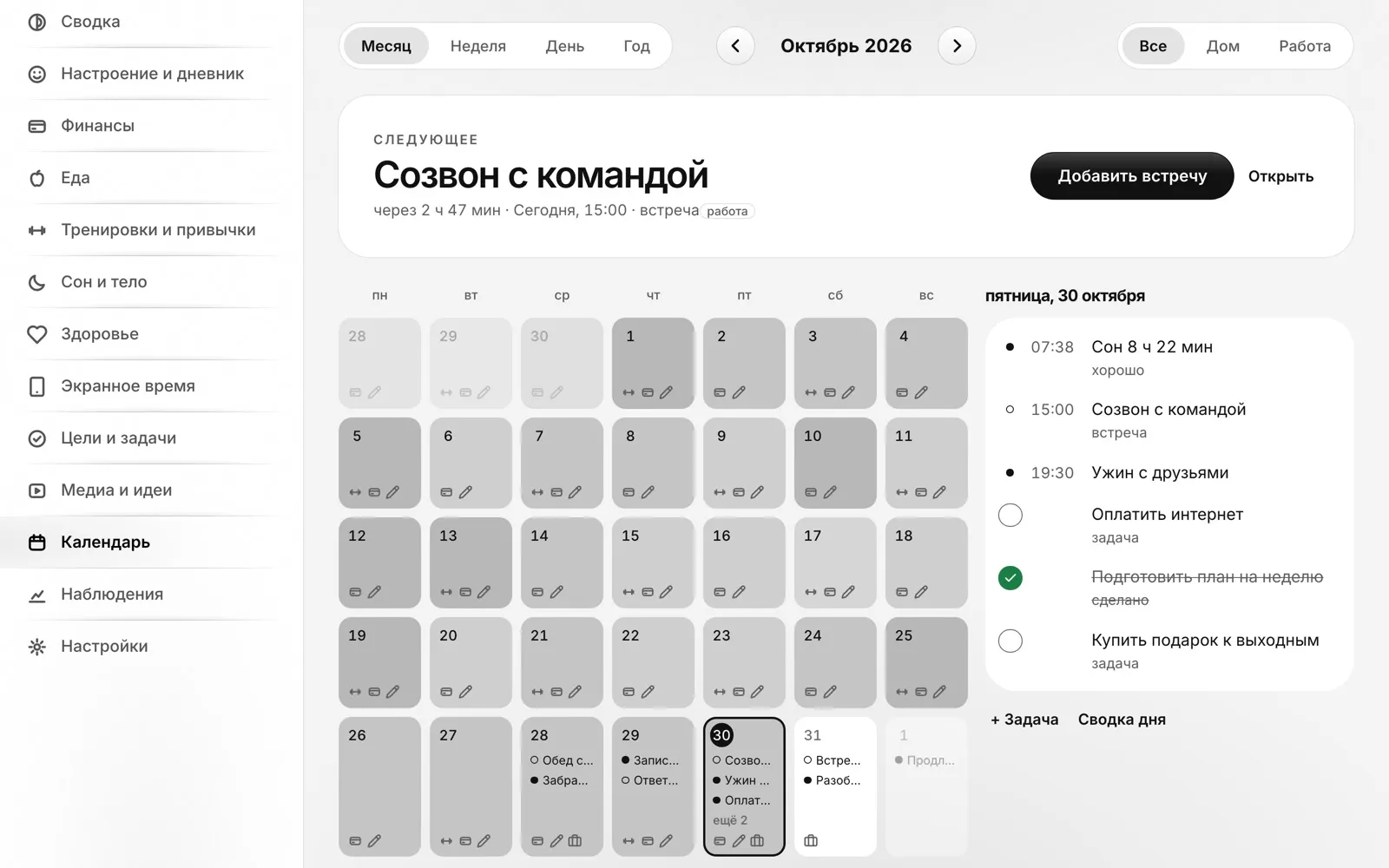
- Goals, media, calendar, observations. Tasks and goals, books and ideas, a calendar with meetings, observation notes.
- Work meetings from the assistant. Meetings the assistant set up from client correspondence and I confirmed appear in the calendar and in the “Now” card with a “Join” button: the call link is checked against an allowlist (Telegram, Meet, Zoom, Teams, Telemost).
- Reminders and imports. Daily reminders arrive as a notification on the Mac and in the browser; data is imported from Apple Health and bank statements; screen time from the Mac is counted automatically.
- Sync and friends. An own server, encryption on the device: the server stores only ciphertext. Friend accounts with approval, read-only sharing of sections, password change.
- “Tell me about your day”. One free-form story, and an assistant sorts it into sections; nothing is saved until you confirm.
- Reliability. An event log with a clock on every record, conflicts and the offline queue resolve themselves; a corrupted record does not break a section; a year of data opens in under 0.2 s per screen.
- Own style. Monochrome, colour only in charts, line icons, light and dark theme following the device, “liquid glass”.
Result
The app was built and launched on 27 October 2026. Point by point:
- One app. It has 13 sections: finances in three currencies, tasks, health, work meetings and the rest.
- Mac and phone. The Mac program and the web app for the phone show the same data. A corrupted record does not break a section, and conflicts and offline work resolve themselves.
- Personal data kept closed. Encryption happens on the device, and the server stores only ciphertext.
- Access. The client approves friends himself and gives them read-only sections.
What remains: testing on real iPhones and Android phones, and a Windows build.
The project at a glance
| Client | A person whose personal affairs were scattered across several apps. The name is not given |
|---|---|
| My role | I did everything myself, from idea to launch: design, the Mac app, the web app for the phone and the server. Support is on me too |
| Result | Finances in three currencies, tasks, health and work meetings in one private app |
| Platforms | A Mac program and a web app for iPhone, Android and Windows |
| Data | Kept on the device. Sync goes through an own server that only ever sees encrypted content |
| Reliability | A corrupted record does not break a section; a year of data (8,238 records) opens in under 0.2 s per screen |
| Backups | Nightly server copies, a trial restore once a month |
| Access | A closed system: the client uses it, and the people he lets in himself |
| Connections | Work meetings from the assistant with a join-the-call button; reminders on Mac and in the browser; Apple Health import; screen time from the Mac; a bank statement as a file; central bank rates |